What ChartBand does
Photograph a lead sheet, check the chords, and play with a band of recorded instruments — on your own page, in your own key.
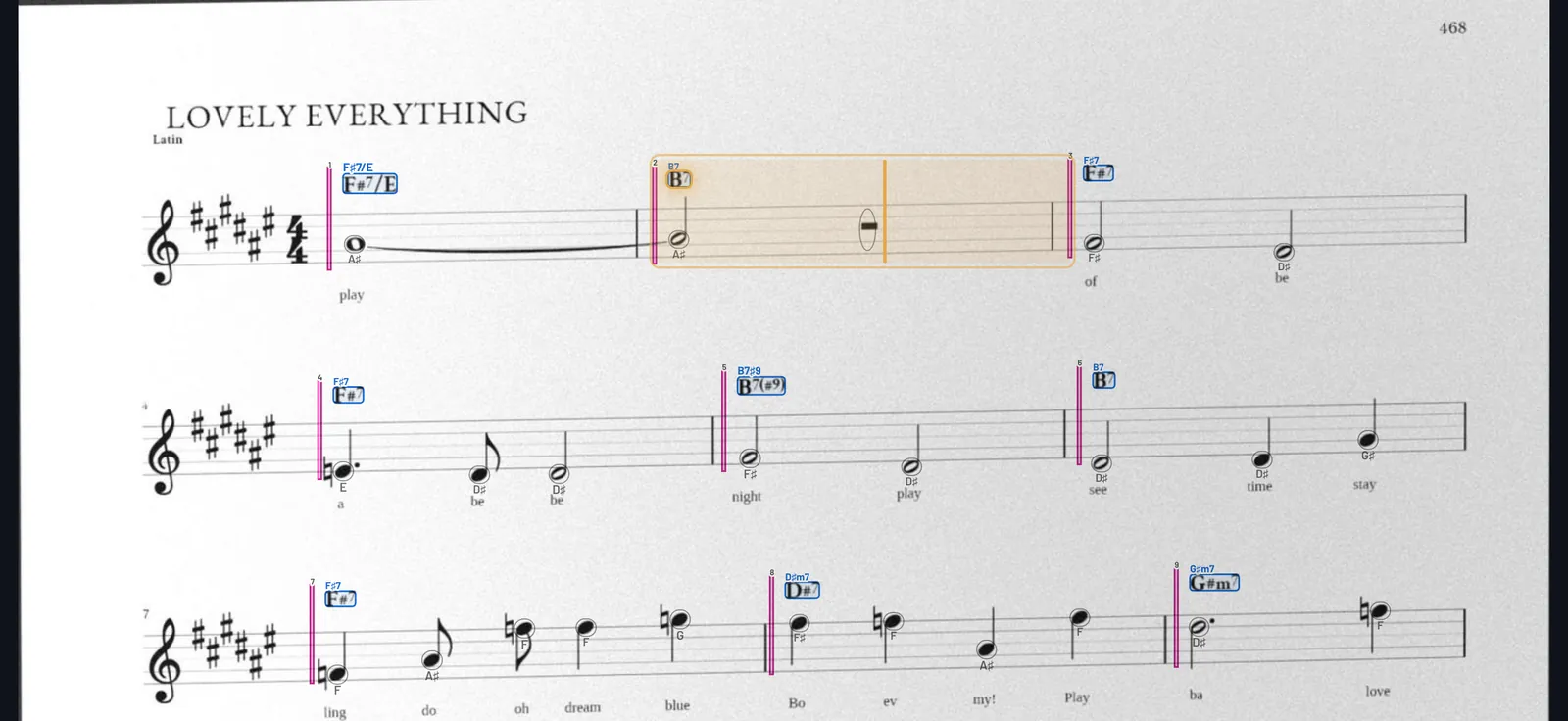
Reading your charts
- 98% accurate charts, read from your photo.
- The document scanner. The page comes back flat and cropped. Printed fake-book pages and hand-written charts.
- Read on the device. The page, the tunes on it, the staves, the bars and the chord symbols are all found on your iPhone or iPad. Nothing is uploaded.
- Two tunes on a page? Pick one or both. More pages? A page without a title is taken as the next page of the tune before — one tap to change it.
- Never drops bars. A line cut off by the edge of the photo means a retake, not a missing bar.
- Check the chords. The chords the app is least sure of come first, each beside its crop from your photo. Form checks flag what looks wrong (bar counts, endings).
- Hold to fix. Hold a chord on your page to change it; hold a bar to fix its whole line.
- Bring charts you already have as MusicXML.
The band
Every sound is a recorded instrument. The playing is live: comping, groove and swing measured from real players, fitted to your chart. No generative AI.
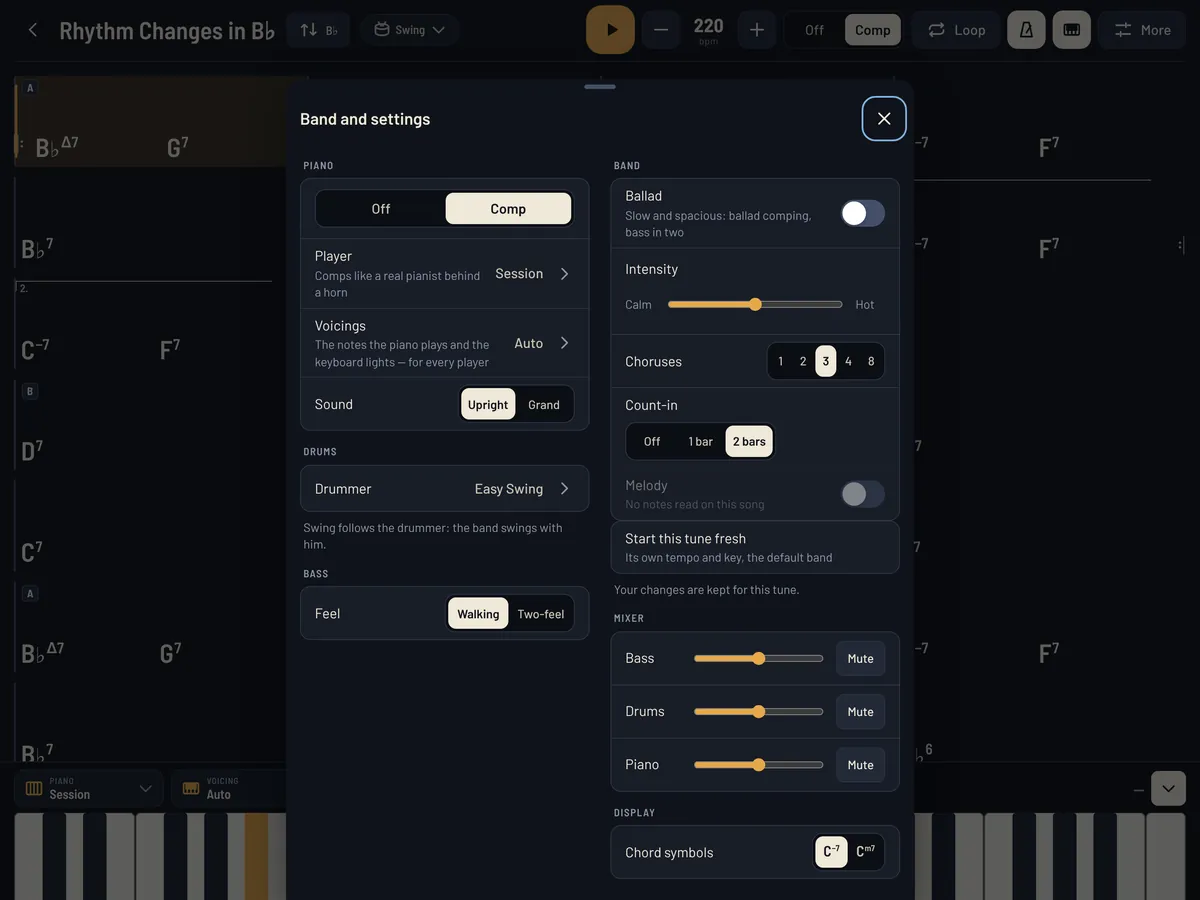
- Piano. Off, or comping. Session comps the way a pianist does behind a horn, and plays differently at a ballad, a medium and an up tempo. Five more comping styles — Lyrical, Hard Bop, Bebop, Modal, Sparse — each measured from a different player. Upright or grand.
- Voicings. Auto (the voicing a pianist would pick, with sensible tensions), or exactly the shapes you want to study: simple chords, nearest inversions, rootless, drop 2, two-handed.
- Drums. Classic, Easy Swing, Hard Swing, Brushes, Bossa. Swing follows the drummer: the bass and piano swing with them.
- Bass. Walking, or in two.
- Feels. Swing, ballad, bossa nova and jazz waltz — picked from the chart's style, and yours to change.
- Intensity from calm to hot, an ending on the last chord, a mixer to turn any player down or off.
Practicing
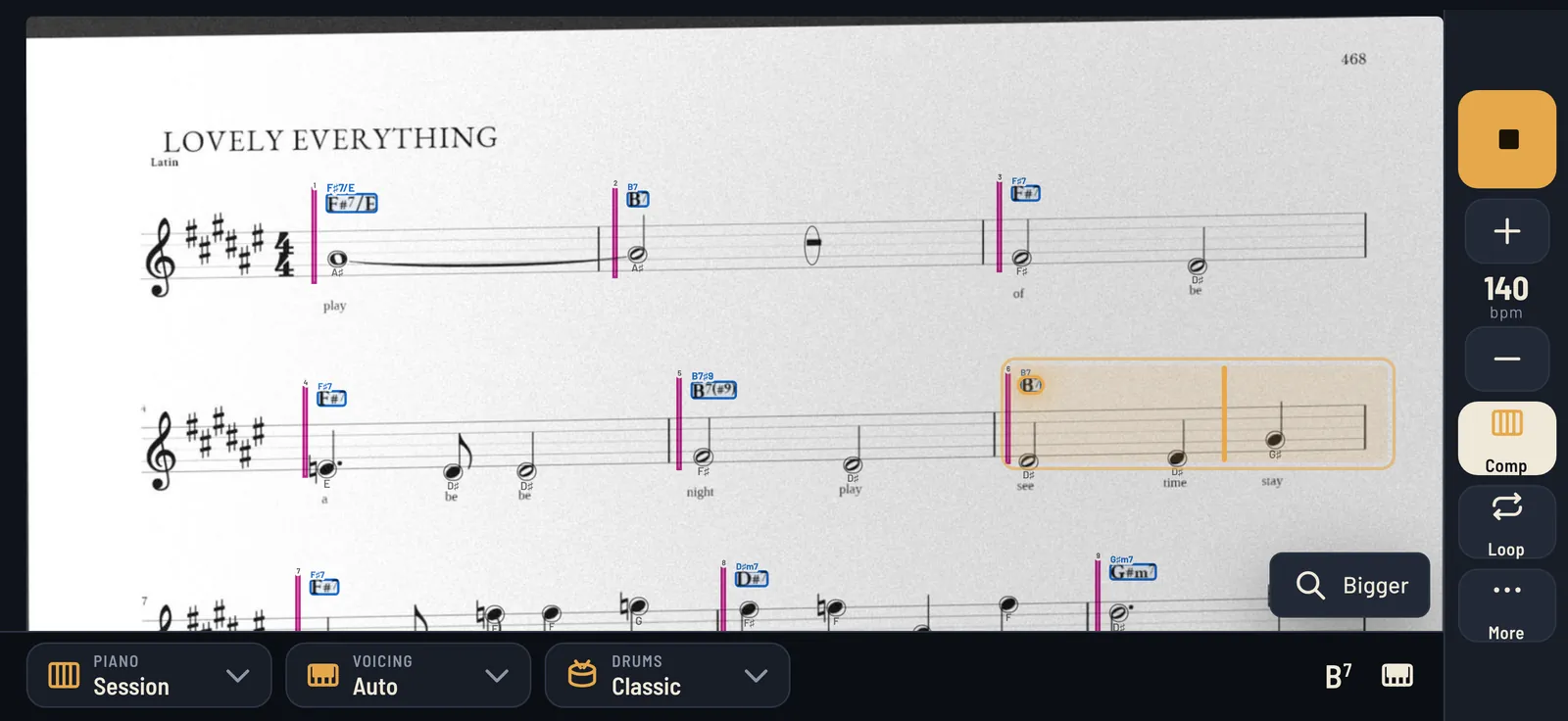
- The cursor on your page. The bar being played lights up on your photo. Or switch to a clean chord chart, four bars a line.
- Loop any bars: drag across them. Tap a bar to start there.
- Tempo, count-in (off, one bar, two) and how many choruses.
- The keyboard lights up the notes the piano is playing — bass register and right hand in different shades. Mute the piano and it still shows you the voicings.
- Chord symbols your way: symbols (C−7, CΔ7) or letters (Cm7, Cmaj7).
Your key, your instrument
- Transpose the band to any concert key.
- B♭, E♭ and F instruments: the chords show in your key while the band and the keyboard stay in concert pitch.
- The melody written out. Where the app read the melody on your page, it writes it out in the new key. How transposing works →
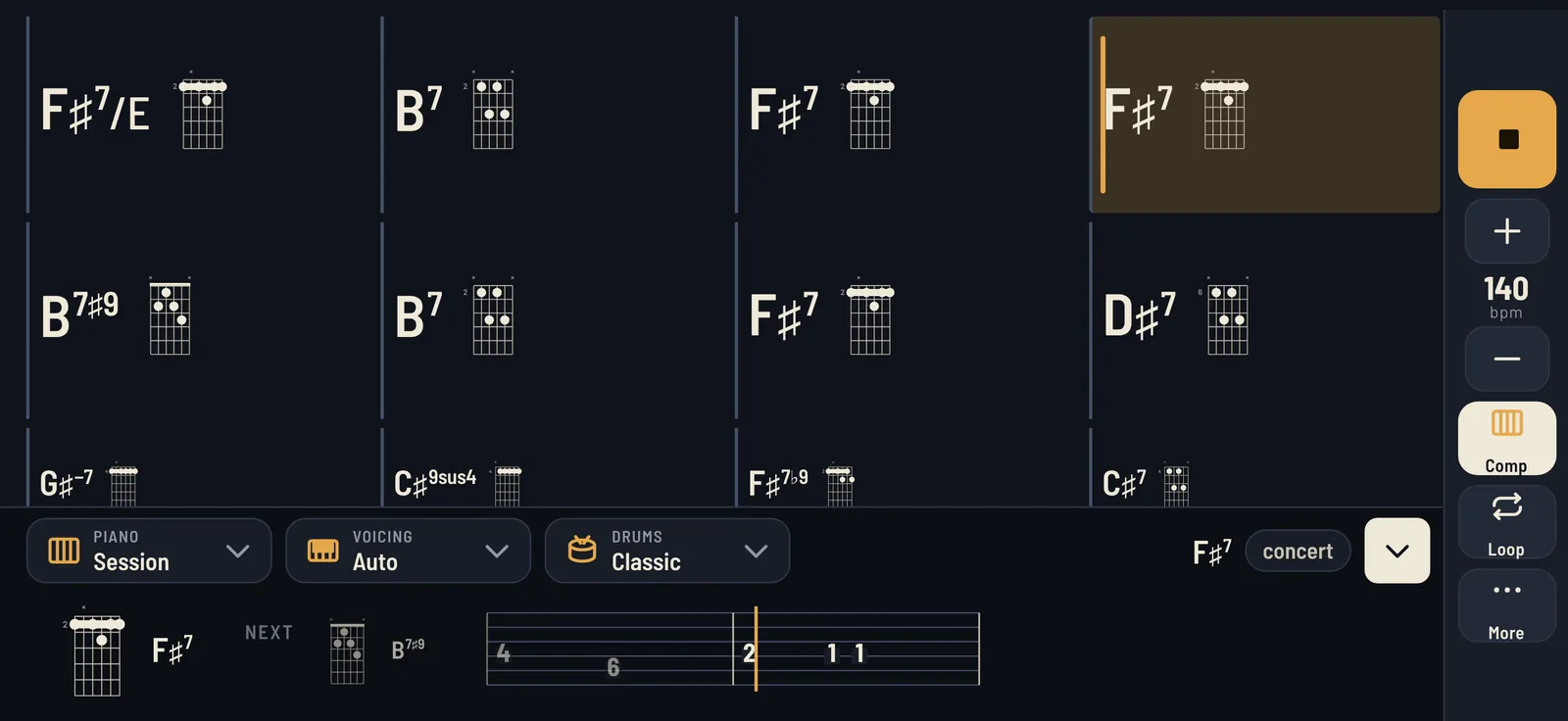
- Guitar: a chord box beside every chord on the chart, worked out to follow your hand (tap one for another grip), and tab for the melody the app read.
Your library
- My scans — your tunes, with your pages, on your device. Each tune remembers its tempo, key and band.
- ChartBand tunes — a small shelf of chord charts we wrote, to try the band straight away.
- Share a chord chart — chords and form only, never your photo or the melody.
iPhone and iPad
On a phone, ChartBand is made for landscape: the line being played and the next one big, the controls down the side. On an iPad, the whole chart with the controls along the top and the keyboard underneath.
Price
7-day free trial, then $9.99/year (renews until cancelled), or $19.99 one-time. No ads, no account. Details.