ChartBand › Guides
Play along to your own lead sheet
You learn a tune from a page — your edition, your pencil marks. ChartBand lets you practice from that same page, with a band, and the bar being played lit up as you go.
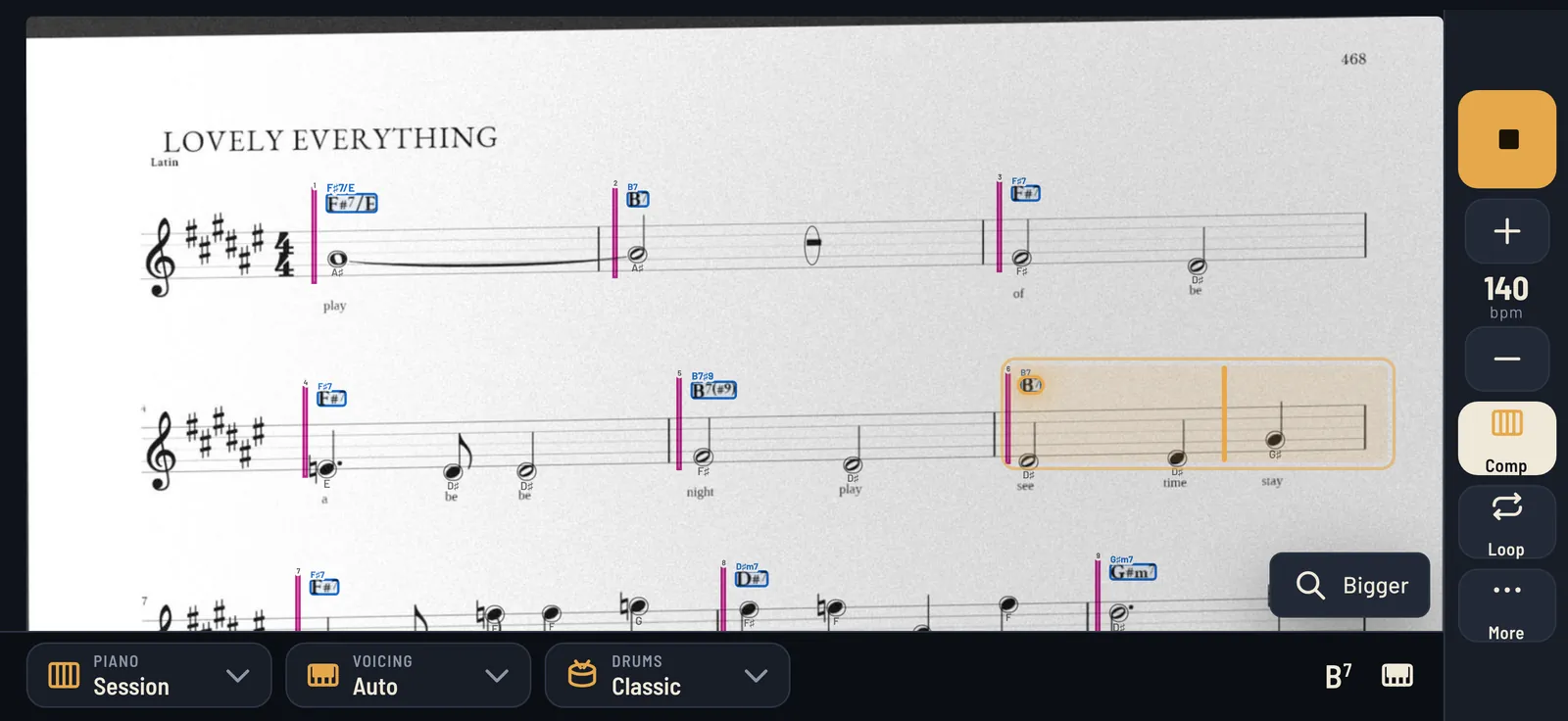
How it works
- Scan the page with the app's document scanner. It flattens and crops the page for you.
- The app reads it on your phone: the tunes on the page, the staves, the bars and the chord symbols. Nothing is uploaded.
- A quick look. The few chords it's least sure of are shown beside the crop from your photo.
- Play. The band plays the form, repeats and endings included, and the bar being heard lights up on your page.
Taking a photo that reads well
- Flat page, even light. Press the book open, avoid your own shadow, and don't use the flash on glossy paper.
- The whole page in the frame. If a line is cut off at the edge, the app asks you to retake — it won't guess at missing bars.
- One page at a time. For a two-page tune, scan the first page, then the next: a page with no title is taken as the continuation.
- Two tunes on one page? Pick one or both.
- Hand-written charts work too; clear chord symbols above the staff read best.
What it reads, and what it doesn't
ChartBand reads the chord symbols and the form — bars, repeats, first and second endings, section marks — and, where it can, the melody on your page. It reads lead sheets: a melody line with chord symbols. It isn't made for full piano scores or big-band parts.
98% accurate charts, read from your photo. If it ever gets one wrong, hold the chord on your page to change it.
Why practice from your own page
A typed chord grid is easy to read, but it's not what's on your stand at a session. Practicing from your own page means the layout, the repeats and your notes are where you expect them on the gig. And if you'd rather see a clean grid, switch to the chord chart any time.
Your pages stay yours
Your photos are read and kept on your device. ChartBand has no account and no server of ours; sharing a tune sends the chords only. Privacy.
7-day free trial, then $9.99/year (renews until cancelled), or $19.99 one-time.